
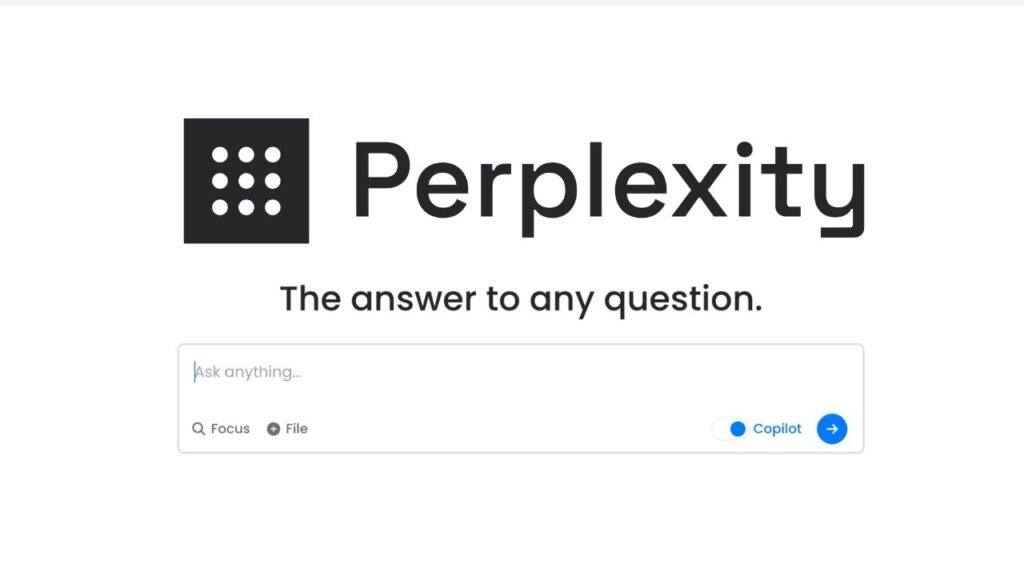
In the rapidly evolving landscape of artificial intelligence, the way we seek information is undergoing a fundamental shift. We are moving away from the era of « blue links » and entering the era of direct, cited, and conversational answers. At the forefront of this revolution is Perplexity AI. To truly leverage this tool, you shouldn’t just search; you need to Ask Perplexity with intention and precision.
While traditional search engines require you to sift through pages of ads and SEO-optimized blogs, Perplexity acts as a research assistant that reads the internet for you. However, the quality of the output is directly proportional to the quality of your input. This guide will walk you through the advanced strategies required to master the platform and ensure you get the most accurate, relevant information every single time.
Key Takeaways
- Context is King: Always provide background information to narrow down the search space.
- Use Focus Modes: Tailor your search to specific domains like Academic or Social Media.
- Iterate and Refine: Use follow-up questions to dig deeper into complex topics.
- Verify Sources: Always click through the citations provided by Perplexity to ensure factual accuracy.
- Persona Prompting: Assign Perplexity a role (e.g., « Act as a Senior Developer ») for more specialized answers.
🔍 Understanding the « Ask Perplexity » Philosophy
Before diving into the mechanics of prompting, it is essential to understand what makes this platform different. Unlike standard LLMs (Large Language Models) like ChatGPT, which rely on a static training dataset, Perplexity is an answer engine.
When you Ask Perplexity a question, it performs a real-time crawl of the web, identifies high-authority sources, and synthesizes that information into a coherent response. This means you are getting current data, but it also means the engine needs clear instructions to navigate the noise of the internet.
To get the best results, stop thinking in keywords and start thinking in structured inquiries. Instead of typing « best laptops 2024, » you should ask, « What are the top 5 laptops for video editing in 2024 with at least 32GB of RAM and a focus on battery life? »
💡 The Art of the Prompt: Engineering for Accuracy
Effective communication with AI is often referred to as « Prompt Engineering. » When you Ask Perplexity a question, use the C.C.C. Framework: Context, Clarity, and Constraint.
1. Context
Tell the AI who you are or why you are asking.
- Weak Prompt: « Explain quantum physics. »
- Better Prompt: « I am a high school student. Explain the basics of quantum physics using analogies related to sports. »
2. Clarity
Avoid ambiguous language. Use specific nouns and verbs. If you want a comparison, explicitly state the criteria for that comparison.
3. Constraint
Tell the AI what not to do. Do you want a short summary? A 1,000-word essay? A list of bullet points? Do you want it to ignore certain types of websites (like Reddit or tabloid news)?
🛠️ 5 Strategies to Ask Perplexity Better Questions
To elevate your user experience, try implementing these five proven strategies:
Strategy 1: The Persona Method
By assigning a role to the AI, you prime the model to use specific terminology and a particular tone. If you Ask Perplexity to « Act as a world-class travel agent, » the itinerary it produces will be significantly more detailed and logistical than if you simply asked for « places to visit in Italy. »
Strategy 2: Multi-Step Questioning (Chaining)
Don’t try to get everything in one go. If you are researching a complex topic like « The Impact of AI on the Job Market, » start with a broad overview. Once you receive the answer, use the « Follow-up » bar to drill down into specific sectors like healthcare or manufacturing. This keeps the AI’s focus narrow and prevents « hallucinations. »
Strategy 3: Requesting Comparisons and Tables
One of the most powerful features of Perplexity is its ability to organize data. You can Ask Perplexity to « Create a comparison table between the iPhone 15 Pro and the Samsung S24 Ultra, focusing on camera specs, price, and battery capacity. » This saves you hours of manual data entry.
Strategy 4: Formatting the Output
If you need information for a specific purpose, tell the AI the format. You might ask for a « TL;DR summary at the top, » or request the information be written in Markdown so you can easily copy it into your project management tools.
Strategy 5: Utilizing the « Pro » Mode
If you are a Pro user, you have access to more powerful models like GPT-4o or Claude 3.5 Sonnet. Pro mode also triggers « Co-Pilot, » which will ask you clarifying questions before it begins its search. This is the most effective way to ensure the AI understands your intent perfectly.
🧪 Using Focus Modes for Specialized Research
One of the most overlooked features is the Focus Mode. When you Ask Perplexity, you can click the « Focus » button to restrict where the AI looks for answers.
- All: The entire internet (best for general queries).
- Academic: Restricts searches to peer-reviewed journals and scholarly articles. Use this for science or history research.
- Writing: Disables the internet search. This is for when you want to use Perplexity as a standard AI writer to brainstorm or draft text.
- Wolfram|Alpha: Ideal for complex mathematical equations or high-level data computation.
- YouTube: Searches through video transcripts. This is perfect for finding a specific tutorial or a review mentioned in a video.
- Reddit: Perfect for getting human opinions and « real-world » advice on products or travel.
✅ How to Verify and Cross-Reference Answers
Even the most advanced AI can occasionally misinterpret data. When you Ask Perplexity, the biggest advantage is the citation numbers next to every claim.
- Check the Source Quality: Look at where the information is coming from. Is it a government site (.gov), an educational institution (.edu), or a random blog?
- Verify the Date: In fast-moving industries like tech or finance, information from six months ago might be obsolete. Ensure the sources cited are recent.
- Click the Sources: If a fact seems surprising, click the citation to see the context of the original article. Perplexity makes this easy by providing a source list at the top of every answer.
🚀 Advanced Use Cases for Daily Productivity
Here are a few ways you can Ask Perplexity to handle your daily tasks more efficiently:
Technical Troubleshooting and Coding
Instead of searching forums, paste your error code into Perplexity. Ask it to « Explain why this error is occurring in my Python script and provide a corrected version of the code. » It will search documentation and Stack Overflow to give you a synthesized solution.
Shopping and Product Comparisons
Before buying a new gadget, ask: « What are the common complaints about [Product Name] in user reviews from the last three months? » This filters out the marketing fluff and gets you to the truth.
Meal Planning and Nutrition
Ask: « Give me a 7-day keto meal plan that doesn’t include seafood and takes less than 30 minutes to prep per meal. Include a consolidated grocery list. »
🏁 Conclusion: Mastering the AI Conversation
Learning how to Ask Perplexity the right way is a skill that will pay dividends in the information age. By moving beyond simple keywords and embracing the power of context, focus modes, and iterative questioning, you transform an AI tool into a highly specialized personal assistant.
Start today by revisiting a topic you’ve been curious about. Don’t just search for it—Ask Perplexity with a structured, detailed prompt, and watch as the noise of the internet is distilled into the exact answers you need.